

QR codes that look like they came from your brand
Generated from the same governed record as the link, styled once for the whole account, and free to point somewhere new long after they are printed.
The code never changes. Its destination does.
A code is generated from the campaign record in Terminus, the marketing taxonomy governance platform, so the image and the short link inside it are both fixed the moment they go live. Neither can be edited afterwards, which is exactly what makes them safe to print.
What you can change is the destination URL on the record. Move a landing page, fix a broken address, or send a seasonal code somewhere new, and every card, pack, and banner already printed opens in the right place.
Frozen once live
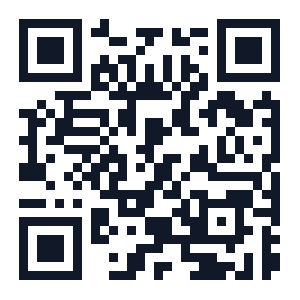
The printed code
ac.me/spring26and the short link inside it
Yours to change
The destination URL on the record
acme.com/springMarch to Juneacme.com/clearancenowDesign it once for the account
A QR style sets the dot shape and colour, the three corner eyes, the background, an embedded logo, a caption, and an optional banner such as SCAN ME. Save it once and every code your teams generate uses it.
Every account starts with one default style and always has exactly one, so there is never a code with no design and never an argument about which is current.
ClassicSquare dots, black on white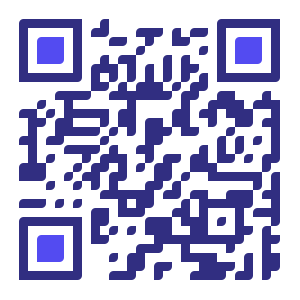 RoundedSofter dots and eyes
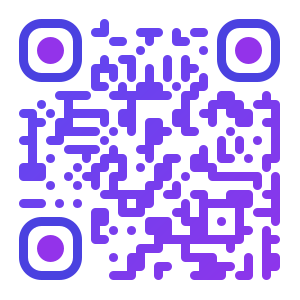 GradientTwo-colour dot fill
 With your logoEmbedded, up to half the width
Error correction is fixed at its highest level, which is what lets a logo sit in the middle without breaking the scan.
A logo in the middle, and it still scans
Error correction is pinned at its highest level and cannot be lowered, which is what makes the middle of the code expendable in the first place.
Your logo can take up to half the width and no more, so nobody can quietly push a brand mark past the point where a phone gives up. The editor shows the result before you save.
Locked, not a setting you can lower
Ceiling is half the code
Print-ready, not screenshot-ready
Download as PNG, JPEG, SVG, or PDF at four sizes. The vector formats matter the moment something goes to print at a size nobody anticipated.
Format
Size
300 px
On screen
500 px
Slides
1000 px
Flyers
2000 px
Large print
SVG and PDF are vector, so the same code holds up on a business card and on a trade-show banner.
A thousand codes from one grid
A code per product, per store, per region. Fill the grid once, twenty-five rows on Professional or a thousand on Business, and every row arrives with its own link and its own code.
They are governed on the way in like anything else, so a batch that size cannot quietly carry a misspelled campaign through it.
Scans counted apart from clicks
The image encodes a variant of the short link that marks the visit as a scan. The poster and the email stay one record with one report, and you can still see which one did the work.
Autumn launch, print and digital
The poster and the email are the same record, so the scans and the clicks land in one report instead of two tools. Illustrative figures.
Safe to send to print
While the submission behind a code is still unapproved, the download dialog says so. The record is not settled until approval, and a code printed from an unsettled record is the expensive kind of mistake.
In the other direction, a style that is later deleted does not break anything already printed: the code falls back to the account default rather than failing, and a style cannot be deleted at all while a live field still uses it.
Put your brand on the code, not just the landing page
Build one governed link, style its code once, and watch the scans arrive separately. 21 days, no credit card.