Track current page URL
Step 1. Just click on the Terminus logo in the browser toolbar

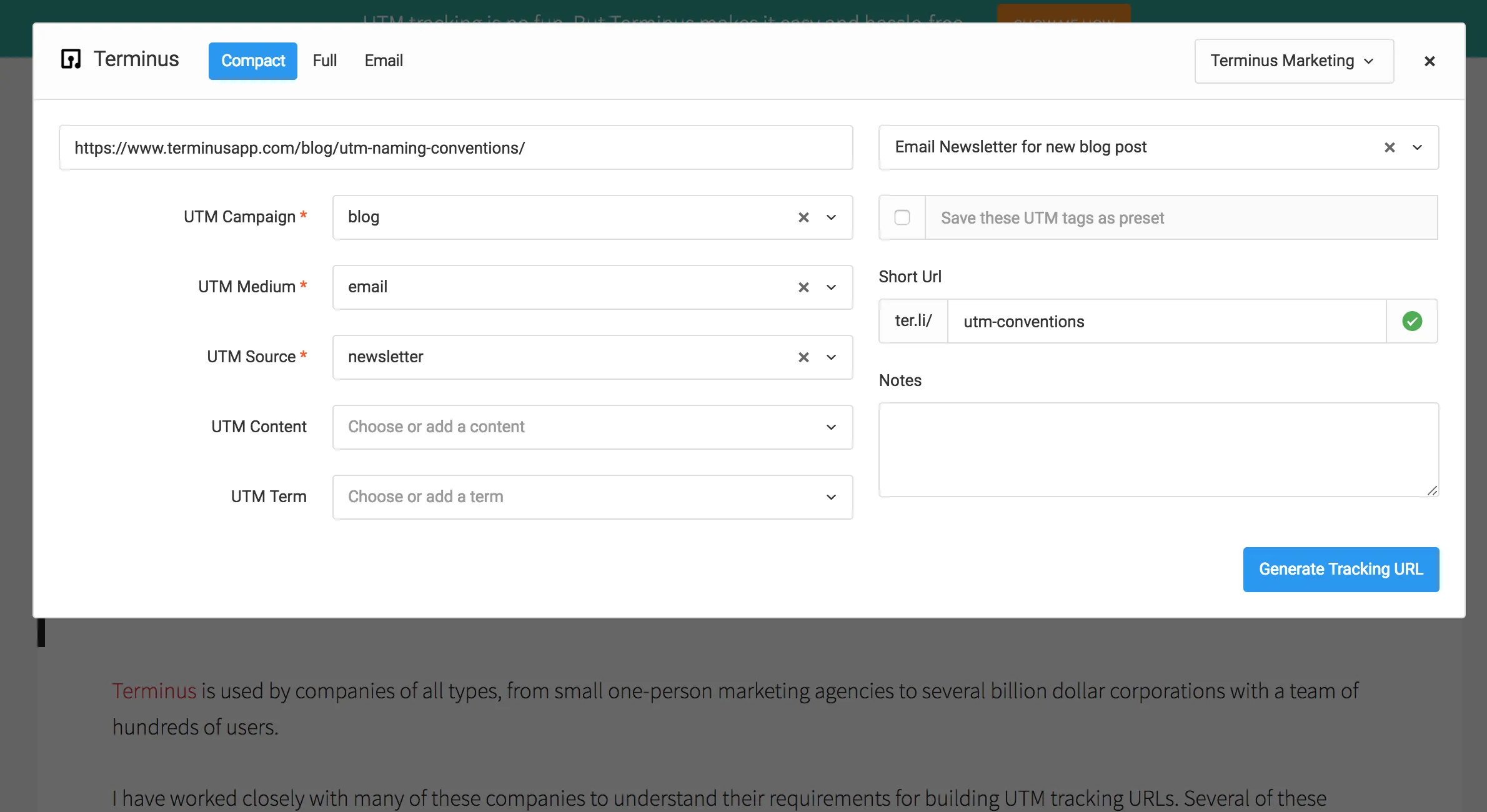
Step 2. Current website URL will be automatically populated in the URL field. Build your URLs as you normally would.
Track any URL on any page
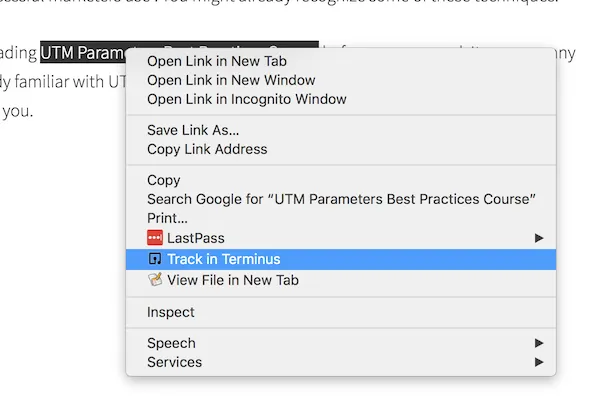
Step 1. Right click on any URL and track in Terminus
Step 2. Build your UTM URLs as you normally would.
Track all URLs in an email
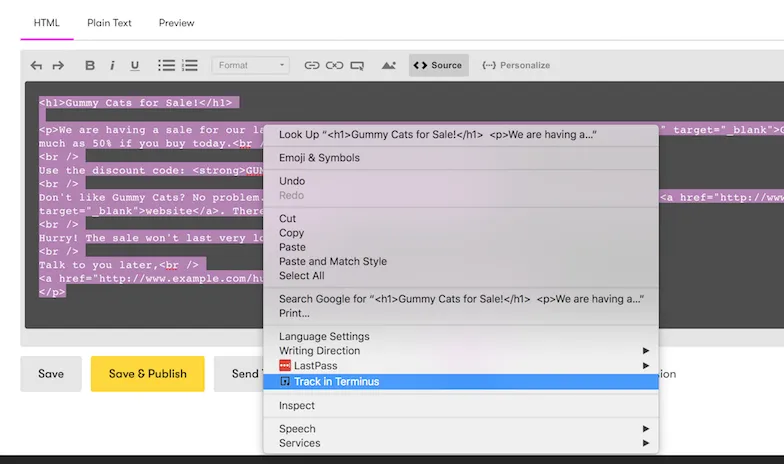
Step 1. Select the source code of email markup (most email providers support this), right click and track in Terminus.
Step 2. Update the title and click Detect URLs.
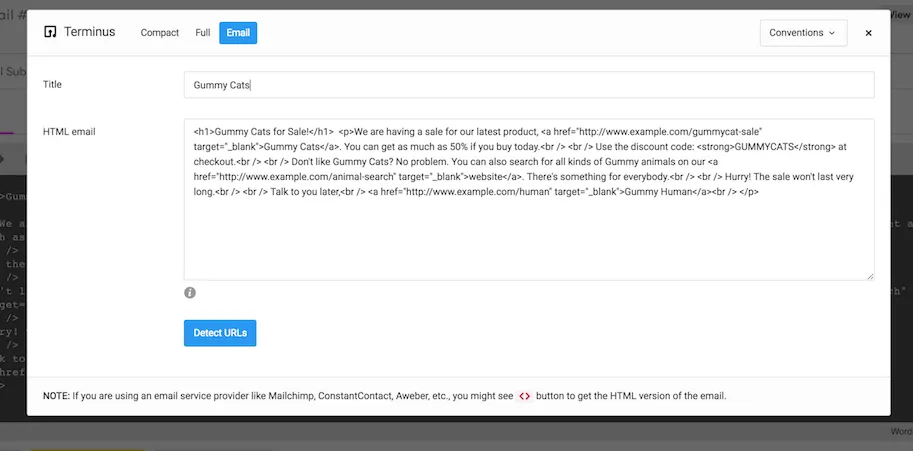
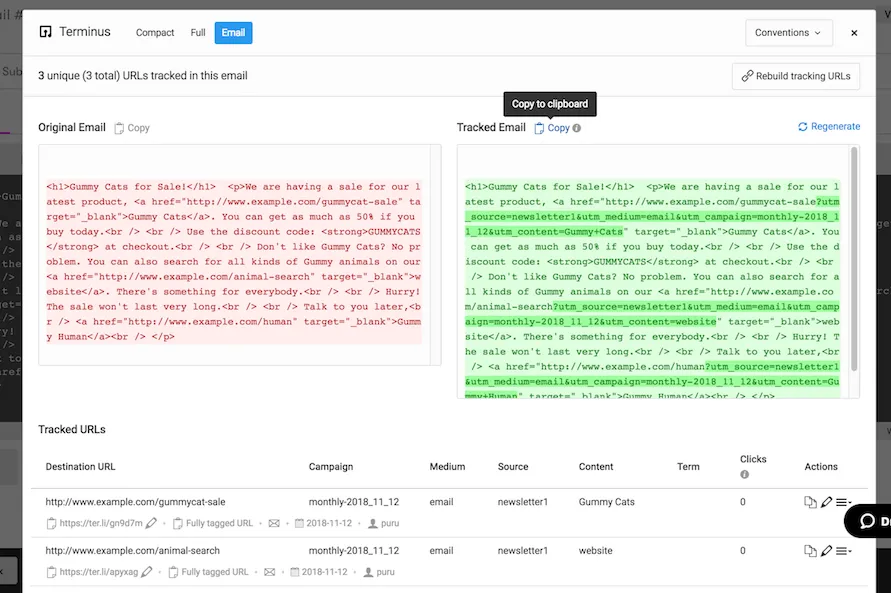
Step 3. Specify your UTM and other building parameters and save.
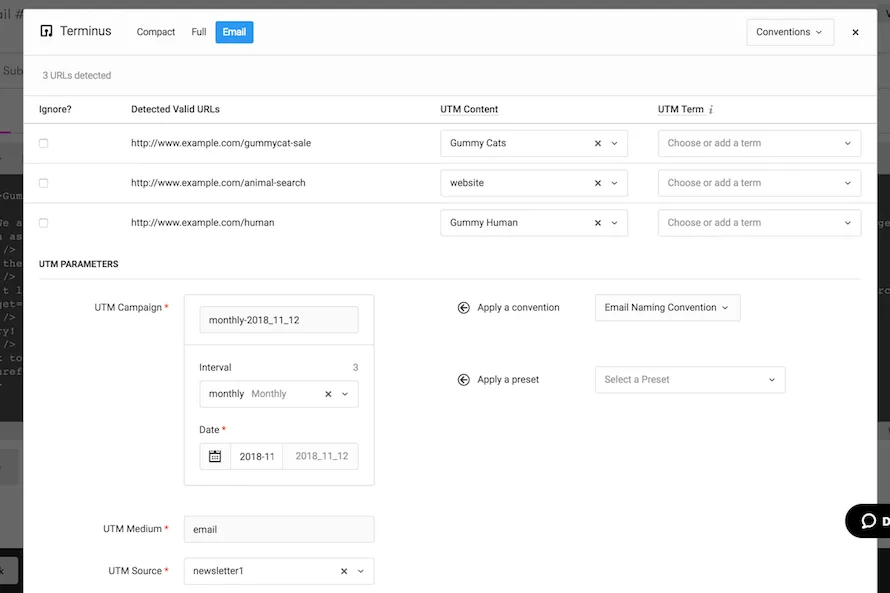
Step 4. Copy the generated markup with UTM tracked URL and paste it back in your email editor